
As April 1 passes, the playful pranks and false alerts that make you question everything on April Fools' Day fade away.
But scammers? They don't take a break.
Spring marks a peak time for cybercriminals. It's not due to carelessness, but because people are busy, slightly distracted, and moving quickly. That's when sneaky scams slip past defenses—blending seamlessly into everyday workflows until it's too late.
Discover three current scams targeting even the sharpest, well-intentioned employees striving to keep up with their busy days.
As you review these examples, ask yourself: Does my team consistently pause long enough to recognize these threats?
Scam #1: The Fake Toll or Parking Fee Alert
An employee gets this text:
"You owe $6.99 for an unpaid toll. Pay within 12 hours to avoid penalties."
The message references familiar toll systems—E-ZPass, SunPass, FasTrak—matching the local state. The small amount seems harmless. Between meetings, the employee quickly clicks, pays, and moves on.
But the link? Totally fake.
In 2024 alone, the FBI logged over 60,000 complaints about fraudulent toll texts, with reports soaring 900% in 2025. Researchers uncovered more than 60,000 counterfeit domains impersonating state toll agencies—highlighting how lucrative this scam has become. Some texts even target people in states without toll roads.
This scam succeeds because the small fee feels low-risk, and many people recently encountered tolls or parking downtown, so the message feels legitimate.
How to protect: Real toll agencies never demand instant payment via text links. Smart companies enforce a strict policy: no paying through text links. If a message seems real, employees always visit the official site or app directly. They never reply—even to "STOP"—to avoid confirming their number is active and attracting more scams.
Convenience is the lure. Following process is the shield.
Scam #2: The "Your File Is Ready" Email
This scam blends perfectly into daily work routines.
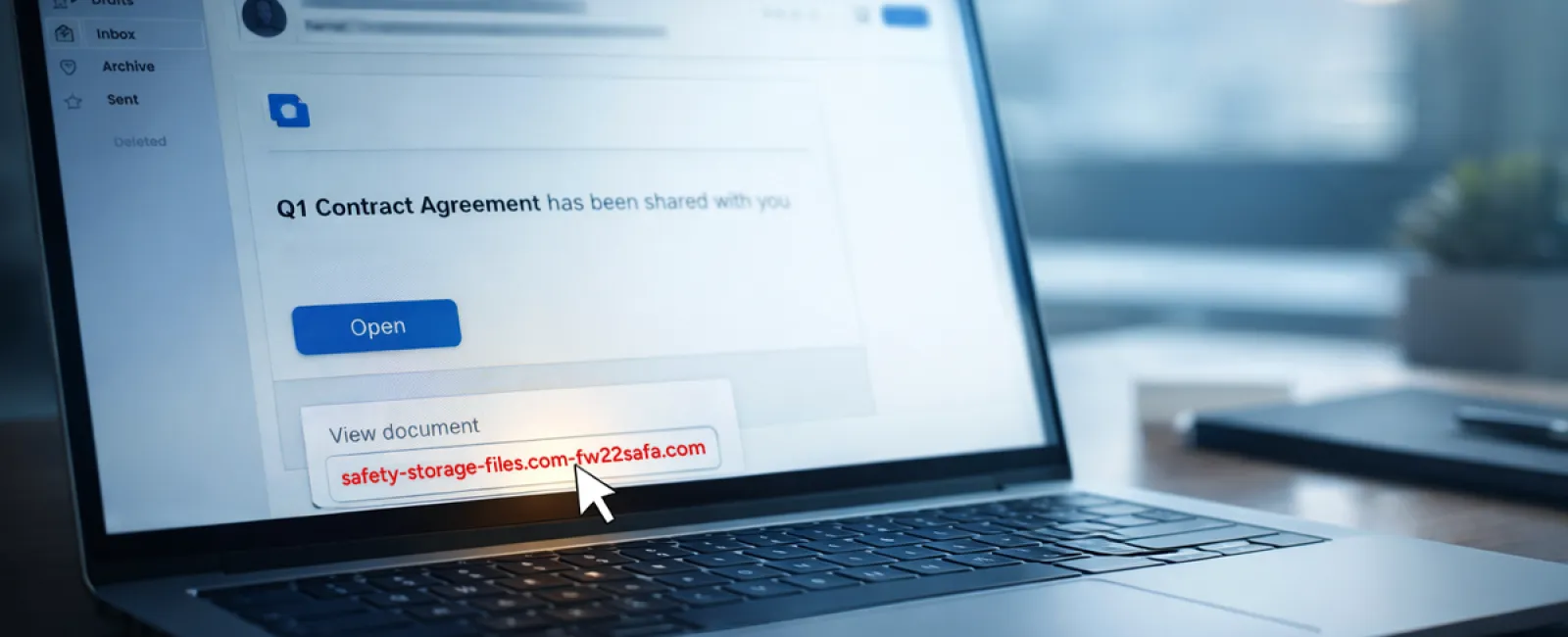
An employee receives an email notifying them of a shared document—often a contract on DocuSign, a spreadsheet on OneDrive, or a file on Google Drive.
The sender's name looks genuine. The email format is indistinguishable from legitimate file-sharing alerts.
They click the link, are prompted to log in, and enter their work credentials.
At that moment, the attacker gains access, entering your company's cloud environment.
These phishing attacks have surged dramatically. According to KnowBe4's Threat Labs, phishing campaigns exploiting trusted platforms like Google Drive, DocuSign, Microsoft, and Salesforce spiked 67% in 2025 alone. Google Slides phishing links rose over 200% within just six months.
Alarmingly, employees are seven times more likely to click links from OneDrive or SharePoint notifications than random emails because the alerts appear authentic.
The newest scams escalate further: attackers compromise accounts and use those platforms' sharing features to send real notifications. This means these emails come directly from Google's or Microsoft's servers, bypassing spam filters since they are technically legitimate messages.
How to defend: Train employees not to click unexpected shared file links in emails. Instead, they should log into the platform independently through a browser to verify. Businesses can also reduce risk by limiting external file-sharing permissions and activating alerts for unusual login activities—settings your IT team can enable in minutes.
Simple habit, powerful protection.
Scam #3: The Highly Polished Phishing Email
Gone are the days when phishing emails had obvious errors and awkward formatting.
Now, AI-generated phishing emails are alarmingly effective. A 2025 study found such emails achieved a 54% click rate—over four times higher than human-written phishing messages (12%).
Why? They're tailored with genuine company names, accurate job titles, and real workflow references—scraped in seconds from LinkedIn and company websites.
This threat goes deeper by targeting departments specifically: HR and payroll teams receive fake employee verification requests; finance teams get vendor payment diversions. In a recent test, 72% of employees interacted with vendor impersonation emails—a 90% increase compared to other phishing types. These emails are calm, professional, and urgent without sounding alarmist—just another ordinary Tuesday inbox message.
How to stay safe: Require verification of any requests for credentials, payment changes, or sensitive data through a second channel—phone calls, chats, or in-person confirmation. Employees should always hover over sender email addresses to confirm the actual domain before clicking. And treat urgent emails as red flags rather than directives to act immediately.
True security empowers without panic.
The Core Lesson
All these scams exploit familiarity, authority, timing, and the belief that "this will only take a moment."
The real vulnerability isn't careless employees. It's systems that expect everyone to slow down, verify thoroughly, and make perfect decisions under pressure.
If a single rushed click can disrupt your day, the issue lies not with people but with your processes.
And process flaws can be fixed.
How We Bring Solutions
Most business leaders don't want another demanding project or the burden of teaching everyone what not to click.
They just want peace of mind knowing their business isn't silently at risk.
If you're worried about your team's exposure—or know a fellow business owner who should be—we're ready to help.
Book a clear, no-pressure discovery call where we'll cover:
• Current cyber risks affecting businesses like yours
• Typical ways threats slip through normal daily workflows
• Practical strategies to reduce risk without slowing operations
No scare tactics. Just straightforward insight and ways to safeguard your business.
Click here or give us a call at (619) 349-5850 to schedule your free 15-Minute Discovery Call.
If this message isn't for you, please share it with someone who'd benefit. Often, knowing what to watch for turns a "would have clicked" into a "scam avoided."